My Current Keyboard(s)
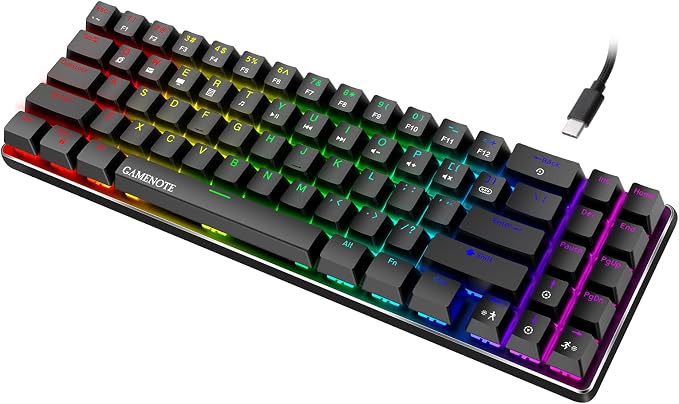 The amazing GAMENOTE keyboard, in all its gamery goriness.
Introduction
So, if you were to ask me why I got into mechanical keyboards, the picture above would be the explanation. This is the Havit “GAMENOTE” keyboard (aka the KB512L). This keyboard is responsible for me spending a little over a year in a mechanical keyboard rabbit hole.
Now, let's be clear: this was not a good keyboard. It had a hollow sound to it. The stabilizers rattled. The keycaps were thin and felt horrible. The RGB was junk. The switches were some off-brand clicky blue switches that pinged and didn't feel all that good to type on. There was no wireless connectivity.
I wrote extensively about this keyboard here: 71-Keys Review: Havit KB512L.
And yet, I could find some good in it. The first thing was: it was cheap: $25-30 USD. Another thing: it had a removable cable. And, above everything else was that layout.
That layout is what drew me in. The moment I was able to reach the Del key without moving my hands from the home row position, I was sold. The fact was, by compacting the TKL layout in this manner, they had come up with a dream layout for touch typists who'd learned to type on a typewriter and were taught to not move our hands, only our fingers.
The Next Keyboard
But there were serious issues with the keyboard, including one issue that wasn't easy to solve: the switches. I managed to take the keyboard apart and fix several issues: I shimmed and lubricated the stabilizers, I added foam to dampen the sound, and I replaced the keycaps with a nice set of PBT caps.
All of this fixed most of my problems with the keyboard. I wasn't concerned with wireless connections. I set the RGB to a solid color or turned it off completely. But, there was the one big issue: the switches.
I could have really put some more effort into it: desoldered the old switches, installed sockets and new stabilizers, and then new switches. But, honestly, that would have been many hours of work and I really hadn't done any soldering for over 20 years. This was a skill set that I wasn't interested in relearning.
So, I started looking at other keyboards. And, I tried a few… A Leopold TKL that was styled like an IBM Model M keyboard, and a Durgod TKL keyboard that was highly recommended. And both of them were much better keyboards, but they suffered from the same issue: the switches. I just didn't care for them, and I didn't want to desolder them to install sockets and new switches.
Then I found a keyboard that changed things for me: a CIY TKL keyboard:
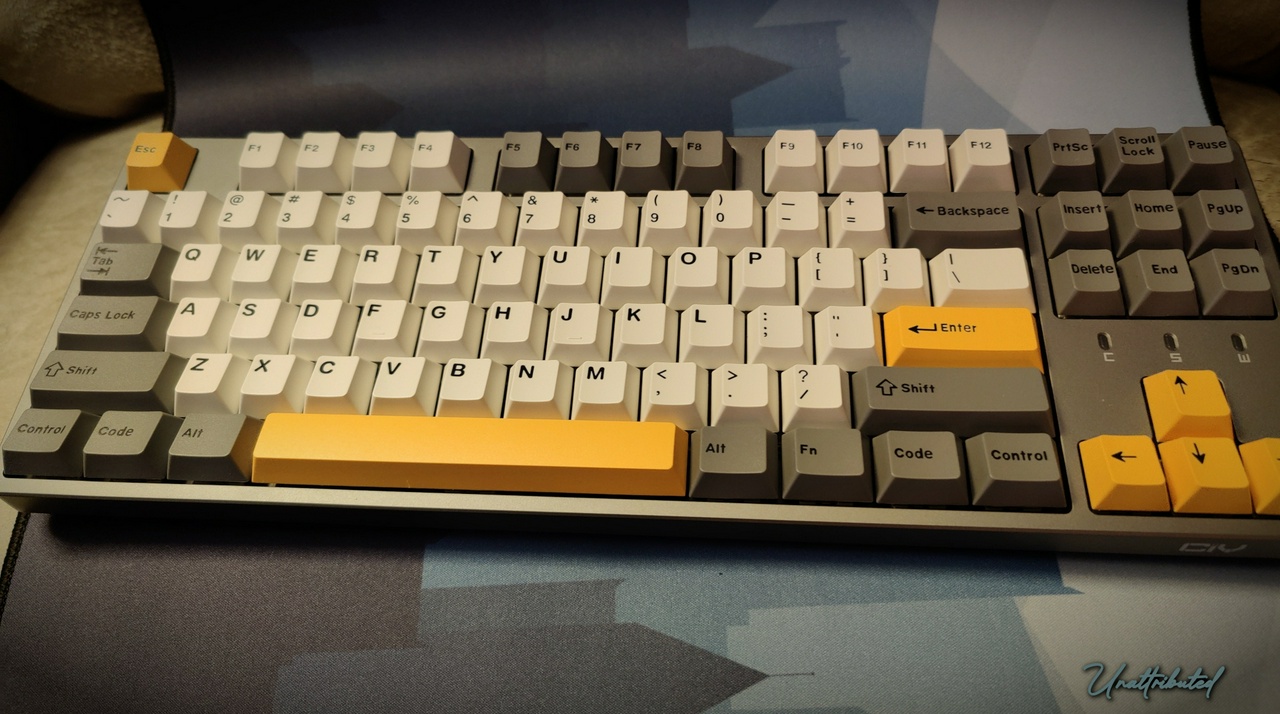 The CIY TKL Keyboard with custom keycaps installed. (Photo: Unattributed, License: CC BY-NC-SA 4.0)
True to its name (CIY means “Customize It Yourself”) it had features that made it worthwhile to work on, and was only $45 USD. The big differences? The upper cover was magnetic and just popped of, and the switches were hot swappable. It still wasn't wireless, and the RGB was junk, but neither of those features were of interest to me.
I spent some time with this keyboard. I modded it pretty heavily: adding foam, taping the bottom of the PCB, upgrading the stabilizers, and replacing the switches and keycaps. And it was a decent little keyboard overall. But, it didn't scratch that one itch the GAMENOTE had started: I wanted that compacter layout.
Then it happened… I found a keyboard that was nearly perfect for me.
The Feker 71 Key
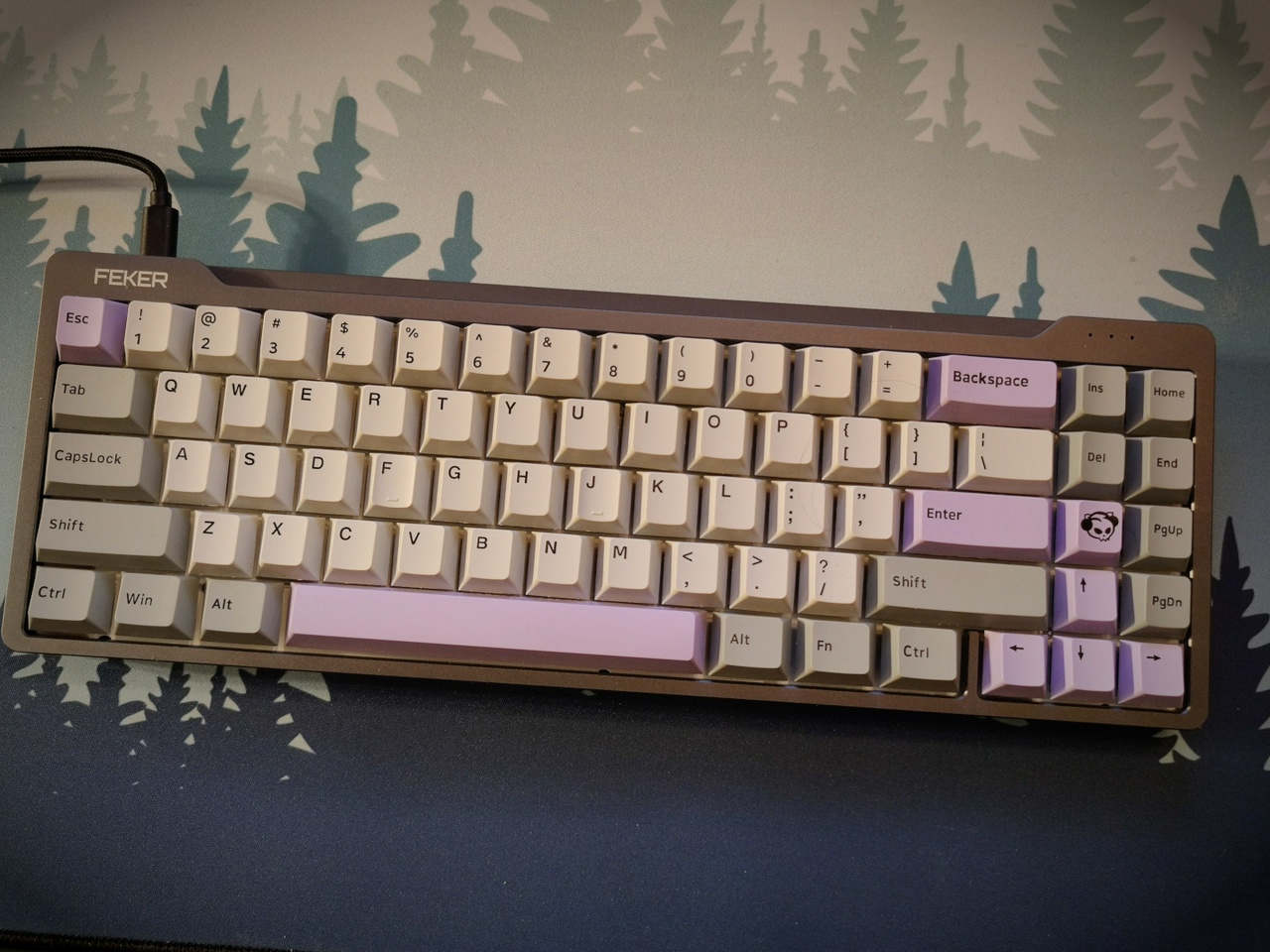 The Feker Dopokey Keyboard with custom keycaps (Photo: Unattributed, License: CC BY-NC-SA 4.0)
So, let's be clear. There were definitely shortcomings to this keyboard. As widely reported the case had pretty loud ping. The mounting system was pretty standard posts, so there was no give to the keyboard. The plate was steel, so it felt pretty hard. Some people also reported having problems with the stabilizers being sticky. Mine weren't sticky, but they were a bit stiff, which I was able to remedy with a little lubricant. Finally, the software was buggy at best – it worked for setting the RGB, but didn't work for key mapping or macros.
But, here's the thing: for me ninety-five percent of the feel of a keyboard is in the keycaps and switches. I don't worry about the plate or the mounting as much. And, I did, with a set of Kaihl Box Jade switches, and the Akko keycaps as pictured I found this keyboard to be extremely usable. It quickly became my favorite keyboard.
Others who have modified this keyboard have thought that it wasn't worth it. Given what they were trying to do with it (i.e., trying to change the feel of the keyboard by modifying the mounting system), I would tend to agree. However, if all you want to do is deaden the sound, fix the ping, and either tune or replace the stabilizers, I would disagree with that assessment. And that was the camp I was in.
However, there is one issue all the modders mention that I encountered as well, and I haven't worked on: the case screws. For some reason the screws Feker used were made from really soft metal which makes it difficult to remove them without stripping the head or the screw itself. One day I will get around to working on them, and I will find replacement screws so they aren't a problem in the future.
But, even without fixing the pinging, and deadening the sound of the case, I still liked the keyboard. So much that I used it for over a year. And, in fact, I now have a small collection of these keyboards. There were several variants of this model. Including one labeled as a “Mengmoda” keyboard with brass accents, and a frosted acrylic version of this keyboard.
But after a year or so, I set this keyboard aside. Why? And what am I using now?
The Kisnt KN85
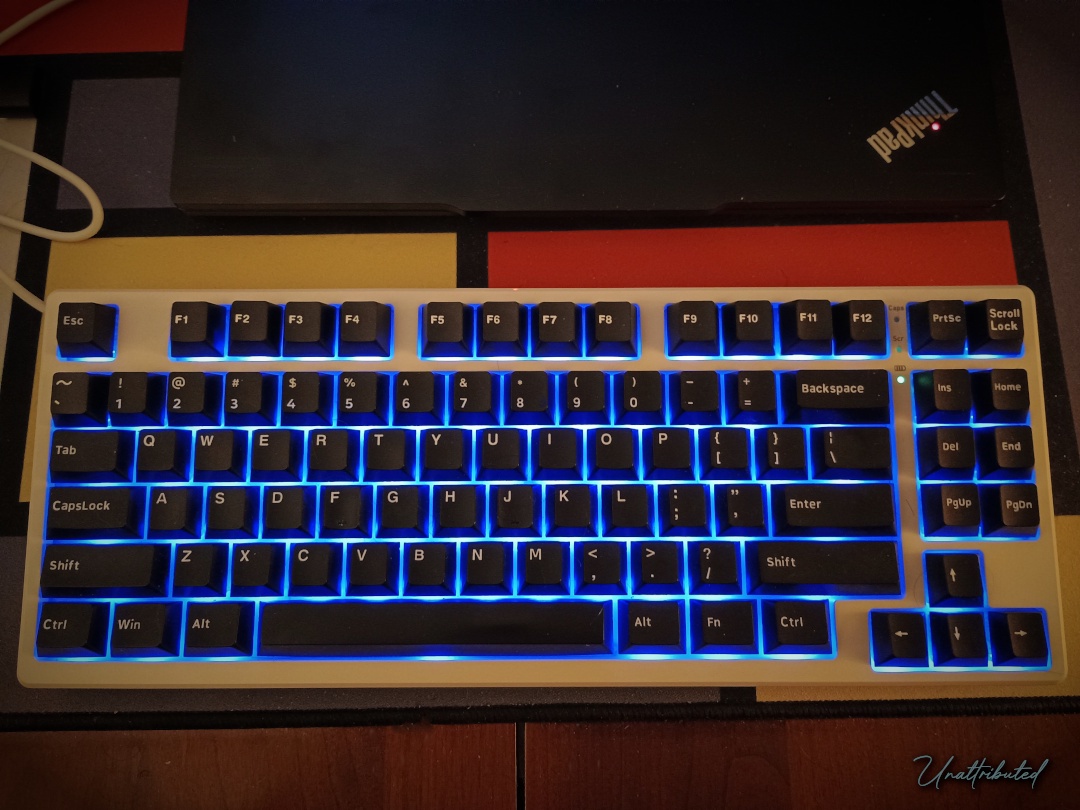 Kisnt KN85 with custom keycaps (Photo by Unattributed, License CC BY-NC-SA 4.0)
After a while there was one thing that I found lacking in the Feker 71-Key keyboard: a dedicated row of function keys. Now most of the time this isn't a big deal. My focus on typing documents (stories, essays, emails, etc.) didn't require the use of function keys.
However, as I got more into certain games (ahem Minecraft) I started missing those keys. Also, it always seemed better to me to have media controls on the function keys. In fact, I started scanning the different sites occasionally to see if anyone had produced a keyboard with the layout of the Feker, but added the function keys back in.
So, when I saw the Kisnt keyboard pop up on Amazon, and it was under $50 I didn't even think it was a risk. I couldn't look at a $50 keyboard that so closely matched my desired layout and think that I couldn't make it into something decent (assuming the screws weren't made from really soft metal).
When it came in, I was in for a bit of a surprise: Kisnt had done an excellent job producing an entry level enthusiast keyboard. The chassis is solid and doesn't flex. The keycaps had a really nice feel. The switches were a light-medium weight, pre-lubed tactile switch. And, they had filled the keyboard with sound deadening foam, giving the whole thing a nice pop sound profile.
And it's a dual mode keyboard: wired and wireless. The wireless part uses a 2.4Ghz USB dongle, which can be stored in the bottom of the keyboard when not in use. And, much to the delight of the modding community: south facing LED's.
Within a few minutes of testing it, I had to know: how would it sound and feel with my Kaihl Box Jade switches, and my favorite White-on-Black keycaps? Well, the result is what is picture above. And, I have to say, it was still a great keyboard, even if the sound profile changed a bit (but I expected that).
There are only two things I don't like about this keyboard: (1) the extra gap between the main part of the keyboard, and the navigation cluster, and (2) the placement of the Home and Del keys, which I would swap. (Unfortunately their software only supports Windows and Mac, so my Linux system is out of luck, unless it will work under Wine.)
But, I decided that I liked this keyboard so much that I bought a second one. The second one is the black version. It now how my Kaihl Box Jade switches, and White-on-Black keycaps. The one from the picture above has the gray / blue keycaps with a set of customized Akko Sponge switches (I lubed them and installed 3 stage springs, the same weight as the Box Jade switches) which I use for gaming.
Conclusion
So there you have it. This is where I am at now. While I made it sound like this was a straight progression from Havit→CiY→Feker→Kisnt it wasn't. I've tried lots of other keyboards along the way, many of which were as bad, and in some cases worse, than the Havit keyboard. And some of them were technically better, but didn't quite work out… But those are stories for other articles.
I mentioned in About Ennui Vagaries that I had abandoned keyboards, or at least No Thoccs Aloud because other reviewers / outlets were working on the same ideas that I had, and they had more resources. And while that is true, there is another aspect to this.
I think I have a different set of values than many people engaging in hobbies. I don't believe in “grail” items. I don't believe in spending unnecessarily to get what I want. I don't believe in form over function. And I most certainly don't see something like a keyboard as a luxury item.
Given that today you can spend $20 and get a keyboard that will work reliably, any additional money that you spend has to bring significant improvement to you in some measurable manner. For me taking a $50 keyboard, tossing $25 worth of switches, and $25 dollar keycaps into it is a worthwhile expense only because it is significantly better than a $20 no name keyboard. The aesthetics are something that come from just making good choices along the way.
And, that's where I am now with my keyboards. No Thoccs Aloud is dead, long live No Thoccs Aloud via Ennui Vagaries.
| FediRing | ||
|---|---|---|
| ◀️ Prev | Home | Next ▶️ |
