Let's Talk About Clickiez
Originally published on No Thoccs Aloud
 Let's Talk About Clickiez
Introduction
So, there has been a lot of buzz about these switches in the keyboard community. So much buzz that I found myself pre-ordering them months before they were released. Now that I actually have them, and have had them in my daily driver keyboard for over a week it’s time to talk about them. Are they good? Are they bad? Do they live up to the hype?
Before we start talking about these switches, I’d like to make a few things clear about what I can’t cover in this article. Especially because a couple of these are substantial topics which are relevant to these switches.
Comparing Clickiez to ALPS switches.
I have been racking my brain trying to recall any keyboards I have used that had ALPS switches. And, as far as I can recall, there aren’t any that left a lasting impression. And, as far as I can recall, there aren’t any. That isn’t to say that I haven’t encountered them. I’ve certainly used a lot of different PC’s and Minicomputer and Main frame terminals over the years.
However, I think there are likely a couple of reasons why none of them had a lasting impression on me: either I didn’t use them long enough (a few months is likely not long enough to have an impression), or I didn’t use it enough to have an impression. In fact, one of the likelier places for me to have encountered an ALPS switch would have been in college when I was taking computer science classes.
However, here’s the thing: I had a computer in my dorm room in college. (First an IBM PC Jr, which was replaced by an IBM PS/2 Model 30.) So, my typical workflow was to write my code in my dorm room using my PC, upload the code to the college mainframe and make certain it was working. Then, and only then, did I go to the college computer lab to do the final run of code and printout the results. So, that definitely didn’t constitute heavy usage.
Converting to Tactile or Linear Switches
One of the selling points of the Clickiez is that you are getting a 3-in-1 type of switch. By opening them and making a small adjustment to the click mechanism you can make them tactile, without the clicking noise, or you can remove the click piece to make them linear. That’s a really cool feature that I am certain will appeal to a lot of perspective customers for these switches. I am not one of them, for a couple of reasons.
First reason: I am not a fan of linear switches. I get why a lot of people like linear switches. And, I have used linear switches in the past that I thought were okay. It’s just that, for me personally, the times when I actually want to use a linear switch are pretty narrow. The big use case for me would be playing a game where the finer control of the switch would be very useful.
But, I only game on the weekends for fun. I typically play single player, mostly casual games. And, in those cases, I haven’t found that I really need a linear switch. And, in fact, I have the feeling that using the same key switch that I use the rest of the time is probably an advantage for me. I feel more comfortable with a switch that has a well-defined tactile event.
So, then, why not try them as tactile switches? Well, the reason for this is quite simple: the tactile event force. I tried using Cherry linear clone switches in the past that had an actuation force around 70-80g. I found that they were fatiguing to type on after a few minutes of usage. That’s definitely not something that I can work with as a writer. So, I set those aside and started experimenting with other switches. I found that I am typically mist comfortable with switches that have an actuation force around 50g, give, or take 5g.
Converting Clickiez to a tactile setup changes the force curve pretty dramatically. They go up around 20g in force, which is getting pretty close to the actuation force that I found to be fatiguing.
Given that I purchased these switches on the premise that they would be an interesting switch to compare to Kaihl Box Jade switches, converting them into tactile switches doesn’t really fit with my usage. Putting the increased force together with the comparison to Box Jades, and it just doesn’t seem appropriate to convert them to tactile switches. (Plus, I have a whole opinion on tactile switches that is likely to be somewhat controversial.)
An Informal Review
This isn't really a formal review, it's more of an extended first impressions article. I have spent over two weeks with these switches, first forming an impression of the switches themselves, and then using them in a daily driver build for two weeks. However, I haven't had the time to do a full independent set of tests on them. For example, I haven't done my own force curve for the switches, and I haven't put them through any rigorous testing, or done a tear-down on them. Those are things that I feel are necessary for what I would deem to be a “formal” review.
Having spent over two weeks with these switches, I think I have a pretty good impression of what they are like, and what most users will find as notable in the experience of using them. I think on this basis I can provide a pretty succinct review, and recommendation for these switches.
Now, with these caveats in place, let’s talk about these switches.
First Impression
Out of the box, the switches were impressive and surprising. First, I knew some had talked about how loud they were, and i agree: these are probably the loudest switches I’ve encountered thus far (although I only have a few dozen samples to compare them to). In fact, they are so loud then when I held one up to my ear and pressed it, my ear started ringing.
The thing that I did find interesting about the sound is how low the pitch is. It’s actually almost more of a thud compared to any other clicky switch on the market that I’ve used, including the Box series of switches. There was, notably, a bit of an after-ring to the click, but it was subtle enough that I think it just adds character to the sound profile, and doesn’t really seem like a distraction.
The feel of the tactile event is definitely the sharpest and most defined I’ve encountered so far. It surpasses the tactility of any jacket style click switch (like Cherry MX Blue) switch, and is even more defined than Kaihl Box Jade’s tactile event. This I can only believe is due to the plate style of mechanism, when compared to click bars and click jackets.
In my initial test, I held one up to my era (as I mentioned), and pressed it several times. I listened closely for any scratching or gritty sounds. There weren’t any that I could hear. And I didn’t notice any scratchy feeling to them either.
Finally, I tested for stem wobble. One of the things that I hadn’t encountered before is the CAP design from Gateron, which reverses the concept of the stem going through a hole in the bottom of the housing. Instead, using a cap over a shaft, which is purported to be more lube friendly, and provide better stability. From what I have seen, the Clickiez have almost no north-south wobble, and only a small amount of east-west wobble. Definitely higher tolerances than normal, almost to the level of Kaihl Box switches in terms of stability.
In Daily Usage
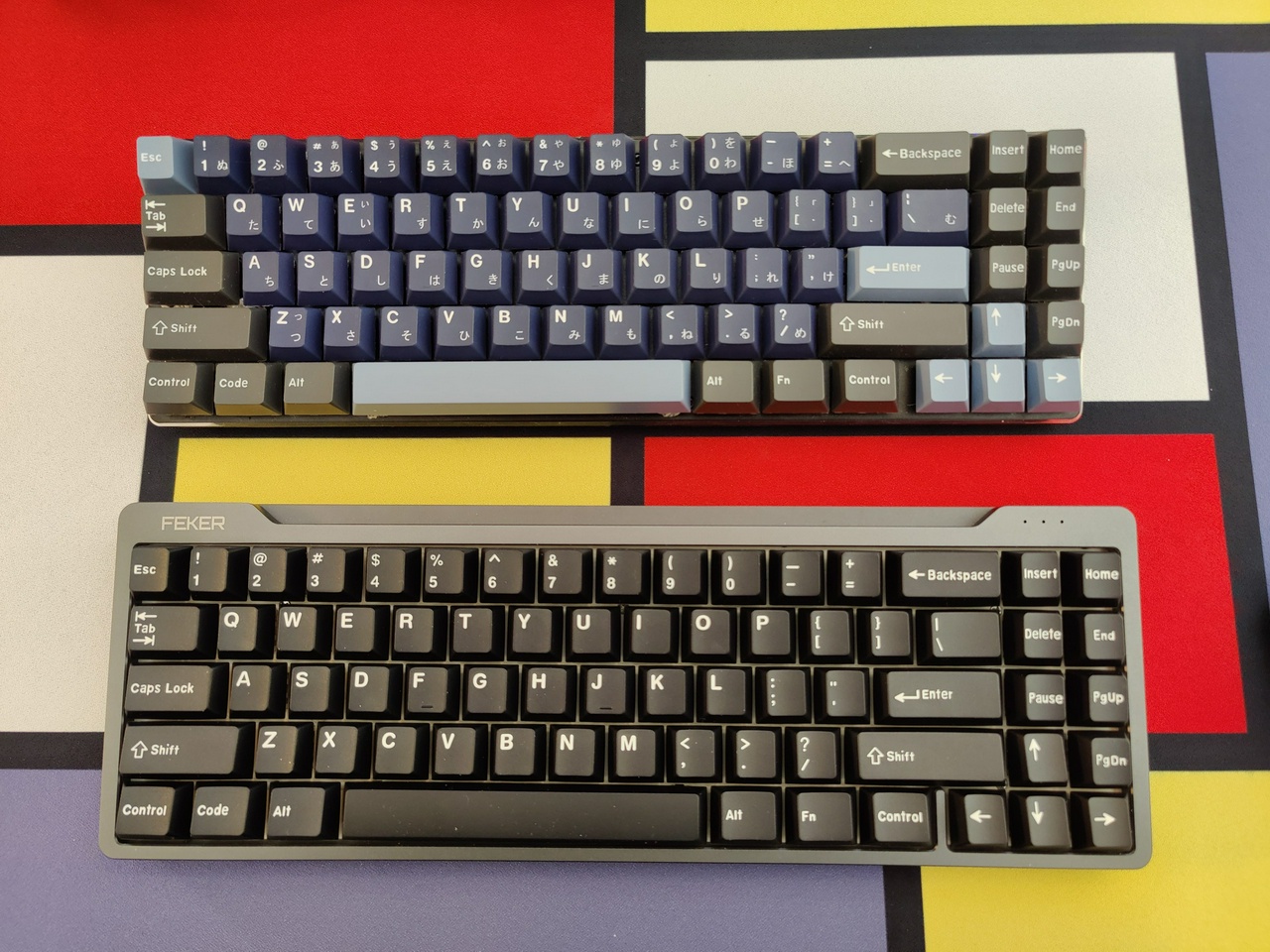
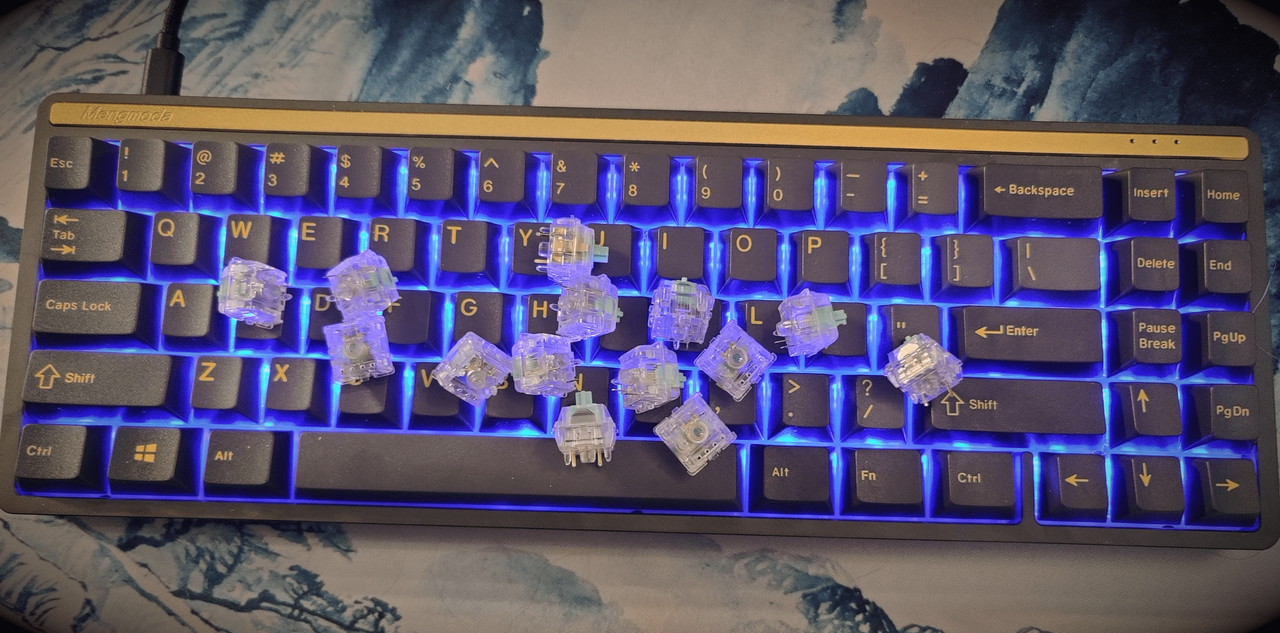
The next step for me was to put these switches into a build that I could give them a decent evaluation. Recently, I’ve been using a CiY Tester68 for my test builds. However, the Clickiez were impressive enough that I wanted to do something more. So, as you can see from the cover photo, I decided to put these into a Mengmoda 71-key keyboard. This is a variation of the Feker Dopokey keyboard that I have been using as a daily-driver with Kaihl Box Jade switches for over 3 months at this point. I couldn’t imagine a better scenario for putting the Clickiez on equal footing.
Two weeks of using the Clickiez has given me some insights into them that aren’t apparent from the first impression that when I unbox them.
First is the sound. As I thought before, the slight ringing sound that I noted is not notice-able when installed in a keyboard. There is a lot of other sound coming from the switches, key caps and keyboard case that pretty well covers the metallic sound. And the deep, almost “thud” that these switches make are slightly accentuated in use. It’s not louder, or any deeper, just a bit different — however that is likely due to the choice of keyboard that they are mounted in, along with the keycaps, so your findings may vary.
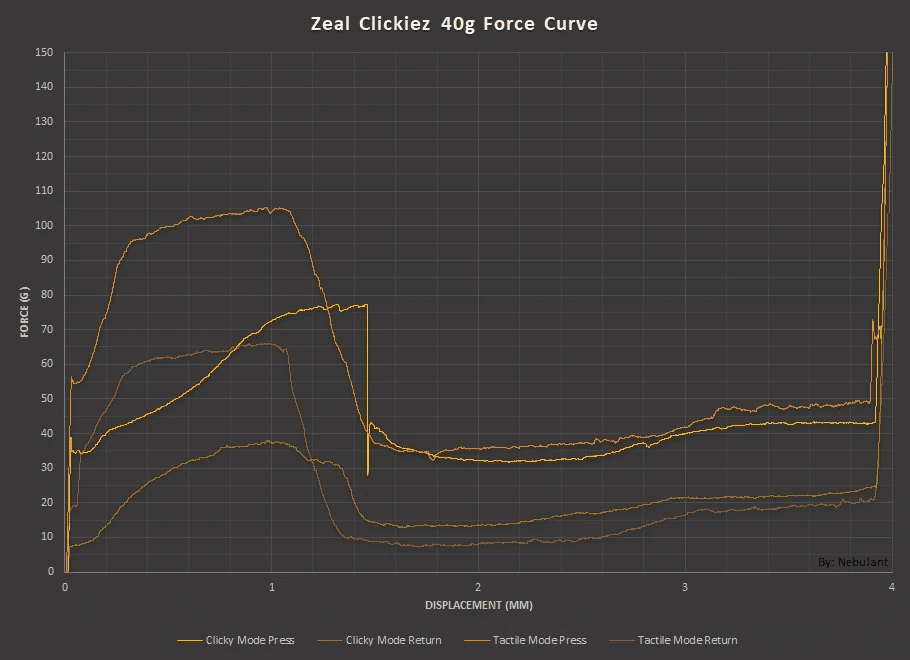 Clickiez Force Graph (via Switches.mx – CC BY-NC-SA 4.0)
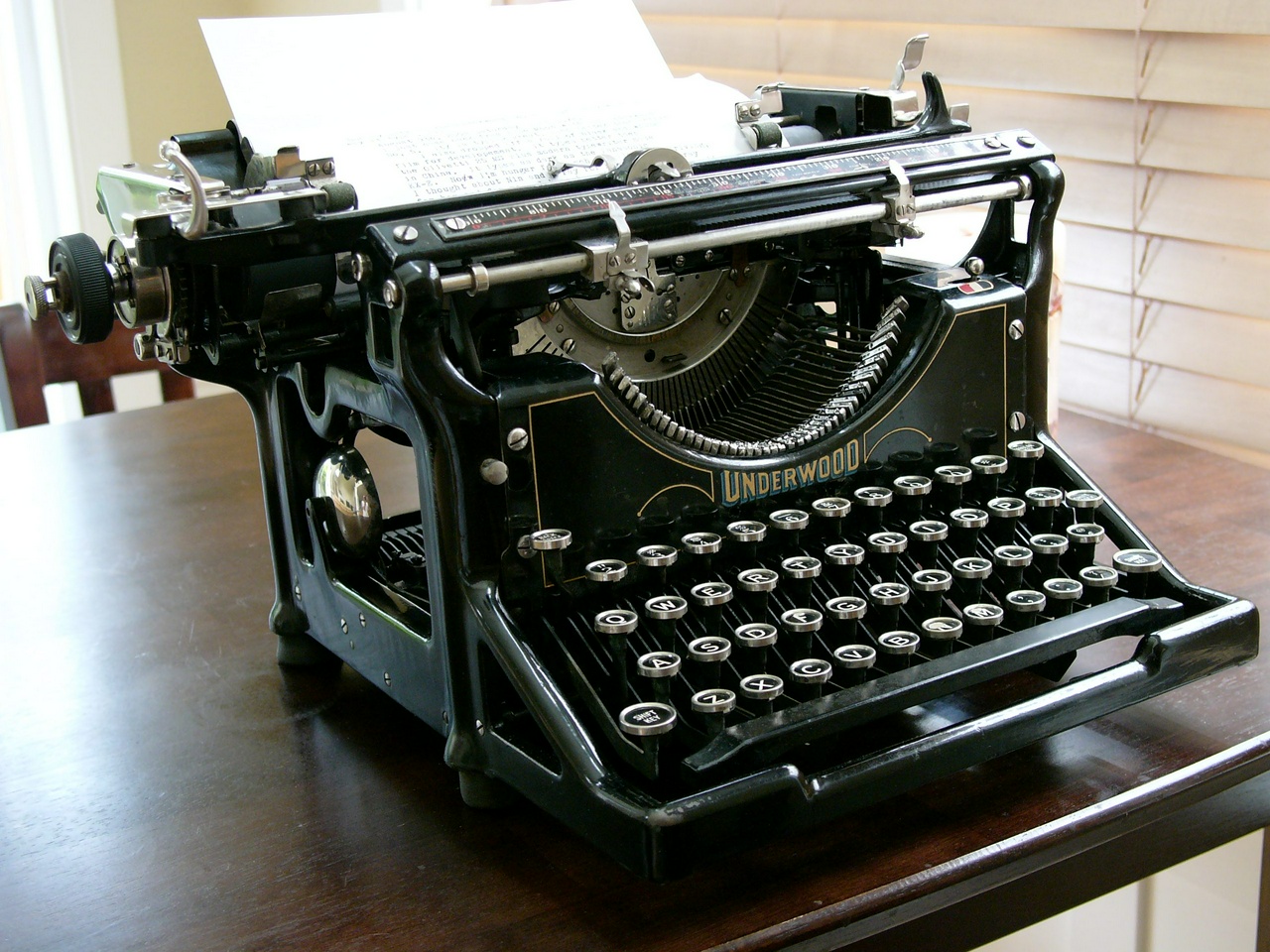
There was one thing that, for me at least, was a bit difficult to adjust to at first. That is the sheer drop-off in force after the tactile event occurs (see Force Curve graph, courtesy of Switches.mx). It’s a fairly odd feeling when it comes to typing. At first, I was thinking this was more like a typewriter, but as I thought about it more, it really isn’t. Most typewriters have a consistent force all the way through the stroke until the hammer hits the platen. That isn’t the case with these switches, instead you feel like you are in free-fall until the switch actuates.
As I said, I found it difficult to adjust to this feeling at first. However, as I got myself back up to speed with my typing it seems to be less of a problem. However, I don’t know that it is the kind of feeling that I want to my typing all the time. I feel like the more controlled feeling from Box Jade or other styles of switches is more to my preference.
Now this may be more anecdotal than anything, but I feel like my accuracy has suffered with the Clickiez. I find myself having to make more corrections that I have with other switches. I don’t know if that is the result of the different feel these switches bring to the table, or if it is a psychological impression that I am getting. Furthermore, I also can’t tell if it is something that would go away if I used these switches for longer. I was able to find myself adjusting these to the Clickiez speed-wise. But accuracy is something completely different. I am struggling to remember if my accuracy suffered at all when I switched to Box Jade switches, I have a feeling that it did, but that it wasn’t something that took me all that long to recover from.
Conclusion
So, what is my overall feeling about these switches? Well, it’s a little ambiguous. I wanted to say that I like them so much that I am going to switch to them permanently. Or, I wanted to say that they were so bad that I wouldn’t use them again. But the truth is somewhere in between. I like the switches, I like the way they sound, and I like the feel they have aside from the sudden drop. As I suggested, I was mostly able to get used to the drop part of the feeling after a while, but I am not convinced that it isn’t playing a role in my perceived decrease in accuracy.
So, I think the answer is that they will live alongside my Kaihl Box Jades. I will probably have to switch between the two of them for quite some time before I decide which I like better, or I can decide if there is a specific application that I like one or the other for better.
But, all of that being said, I think these are switches that can be recommended for people that like a really tactile clicky style switch. They are definitely unique, and offer something that none of the Box or Jacket style switches have to offer.
The one item that I didn't talk about above is the pricing. Initially they were $1.50USD per switch, but with the second round of orders, that price has been reduced to $1.30USD per switch. That might seem expensive, especially when there are many switches under $1.00 per switch. However, there is nothing else that comes even close to these switches on the market, so that makes the pricing a bit more difficult to judge. I would say that one of the key points in favor of this pricing is that you aren't getting just one type of switch: the convertible nature of these switches make them more versatile (even if I haven't tested them in other configurations yet). So this is something that you will have to judge for yourself, personally I am okay with the pricing (but of course I'd like to seem them a little lower – as would anyone), given that they bring a unique value to the market.
Categories: #Features, #Review Tags: #clickiez, #clicky, #switch, #zeal